
The standalone Sign & Encrypt UI is being integrated into the Bosch IoT Rollouts Console, providing you with a unified experience for managing your IoT software rollouts, including artifact signing and encryption.
What Is Changing?
The standalone Sign & Encrypt UI at https://signencrypt.bosch-iot-suite.com
is being deprecated and will be permanently removed on September 30, 2026.
All Sign & Encrypt functionality is now available in the Bosch IoT Rollouts Console at https://console.eu1.bosch-iot-rollouts.com
Timeline
| Date | Change |
|---|---|
| Now | The full Sign & Encrypt functionality is already available in the Bosch IoT Rollouts Console at https://console.eu1.bosch-iot-rollouts.com. We encourage you to start using it immediately. |
| September 1, 2026 | The standalone Sign & Encrypt UI URL will redirect to the Bosch IoT Rollouts Console. The standalone Sign & Encrypt UI will remain temporarily accessible at a separate address for a transition period. |
| September 30, 2026 | The standalone Sign & Encrypt UI will be permanently shut down. |
What Do You Need to Do?
- Familiarize yourself with the Bosch IoT Rollouts Console at https://console.eu1.bosch-iot-rollouts.com.
- Update any bookmarks or documentation referencing the standalone Sign & Encrypt UI URL.
- Complete your transition before September 30, 2026, when the standalone Sign & Encrypt UI will be permanently removed.
Why Are We Making This Change?
By integrating the Sign & Encrypt functionality into the Bosch IoT Rollouts Console, we are:
- Providing a single entry point for all rollout-related operations
- Delivering a streamlined workflow for signing, encrypting, and deploying software artifacts
- Ensuring a consistent user experience across all Bosch IoT Rollouts services
How to log in to the Bosch IoT Rollouts Console?
Go to https://console.eu1.bosch-iot-rollouts.com/login.
Do you know the Rollouts tenant that your Sign & Encrypt tenant is bound to?
- Yes - follow the steps for Bosch Employee Login
- No - use Sign & Encrypt Tenant Login
Don't see the Sign & Encrypt features?
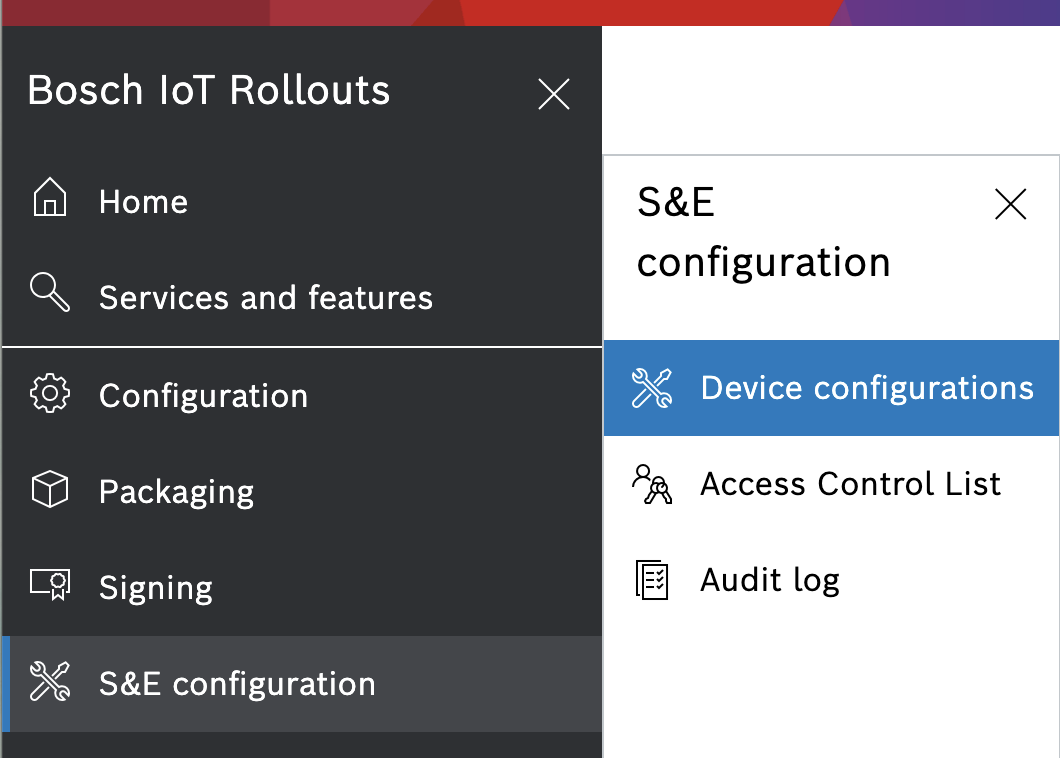
In case you do not see the Sign & Encrypt features in the navigation menu, they are available under the Services and features menu. To show them and keep in the navigation menu for quick access, follow these steps:
- Open the Services and features menu.
- Find the Sign & Encrypt features in the list.
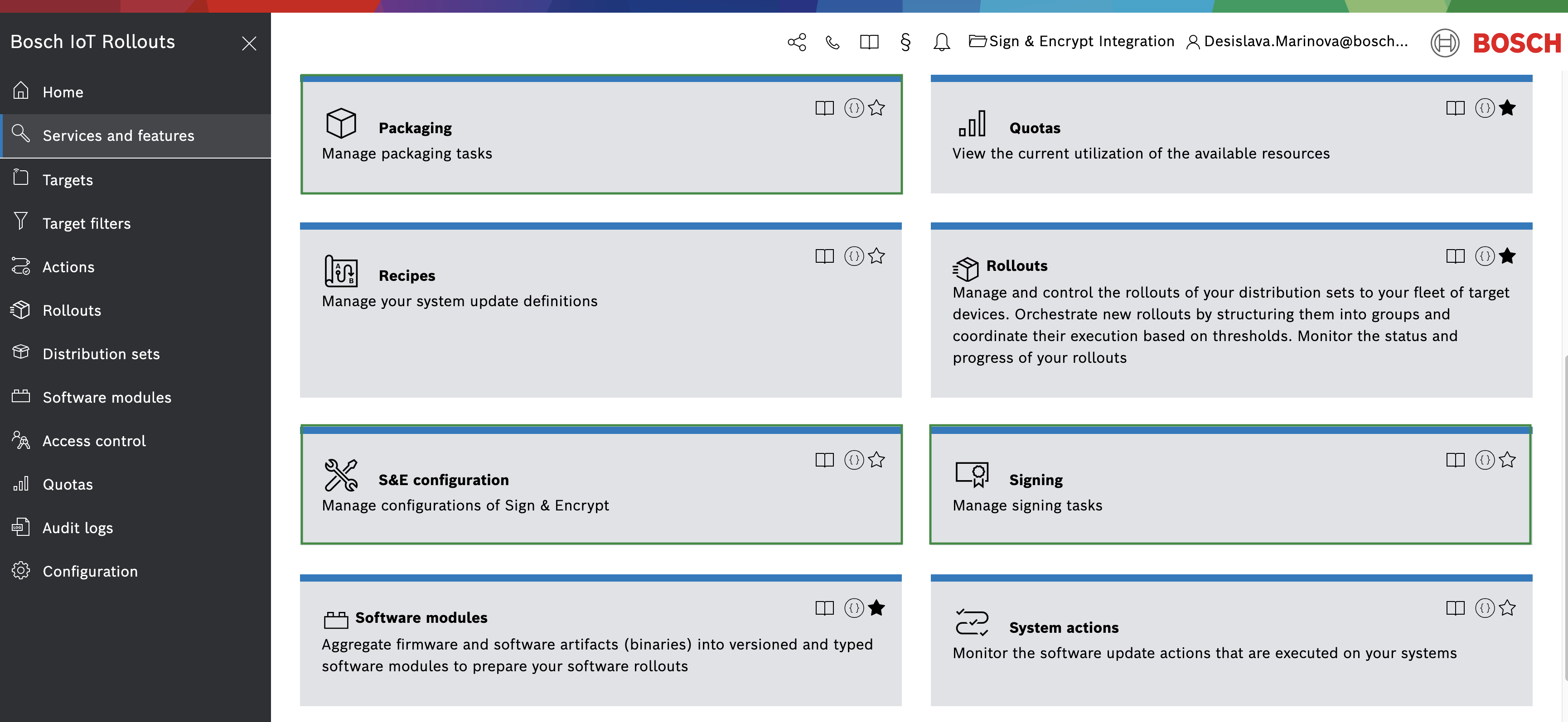
- Pin the Sign & Encrypt features to the navigation menu so they stay available in the left-hand navigation for quick access.
Once pinned, the Sign & Encrypt features appear directly in the navigation menu, and you can open them without going through Services and features again.
Need Help?
If you have any questions or need assistance with the transition, please contact us at Bosch Rollouts Support Jira.